
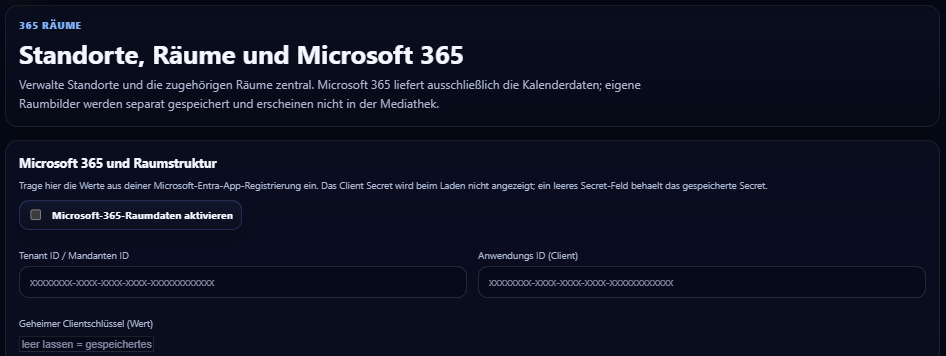
Connect Microsoft 365
Store the tenant ID, client ID and client secret centrally, then enable Microsoft 365 room data.
Show Microsoft 365 room calendars as clear room displays, location overviews and tablet views.
The 365 Rooms main area presents Microsoft 365 room calendars as dedicated room displays. Microsoft 365 remains the authoritative booking system; Signage Suite shows availability, meetings and, optionally, organizer and attendees.
Rooms are grouped by location. Every room has its own URL and can be opened on a tablet, touch display, monitor or assigned player.
Store the tenant ID, client ID and client secret centrally, then enable Microsoft 365 room data.
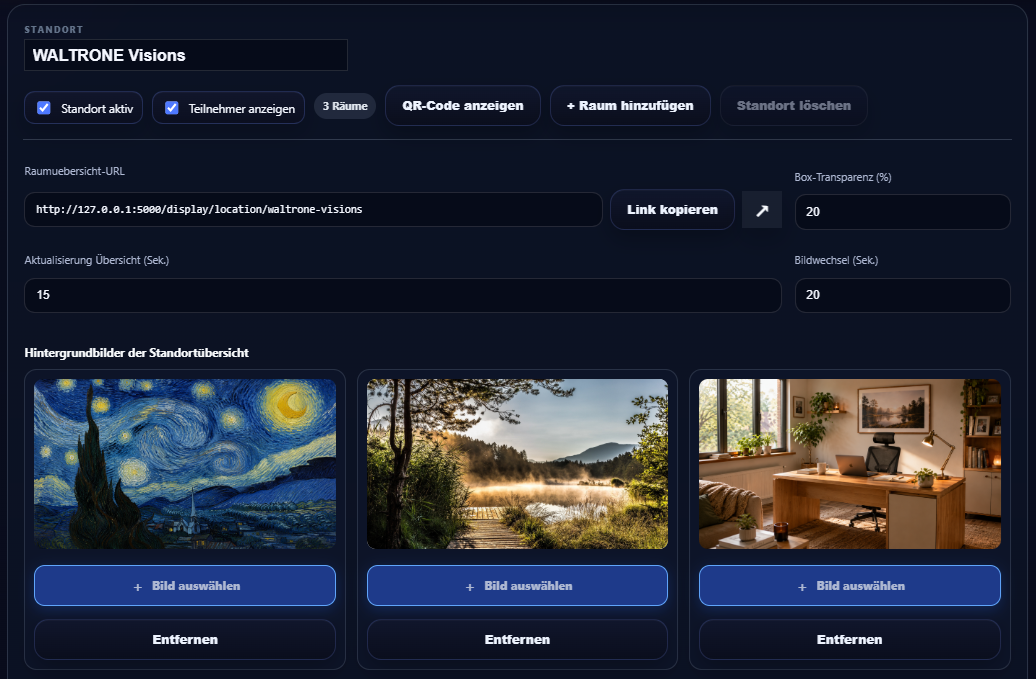
Configure the location name, overview URL, refresh interval, opacity and background images directly in the location card.
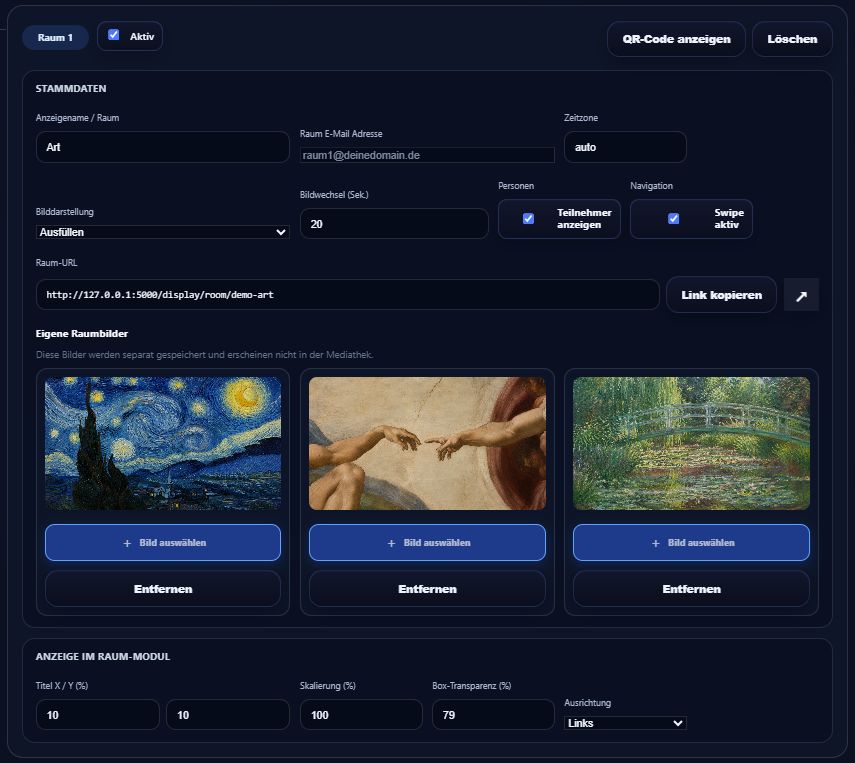
Set the display name, room mailbox, time zone, attendee visibility, swipe navigation, room URL and custom backgrounds.
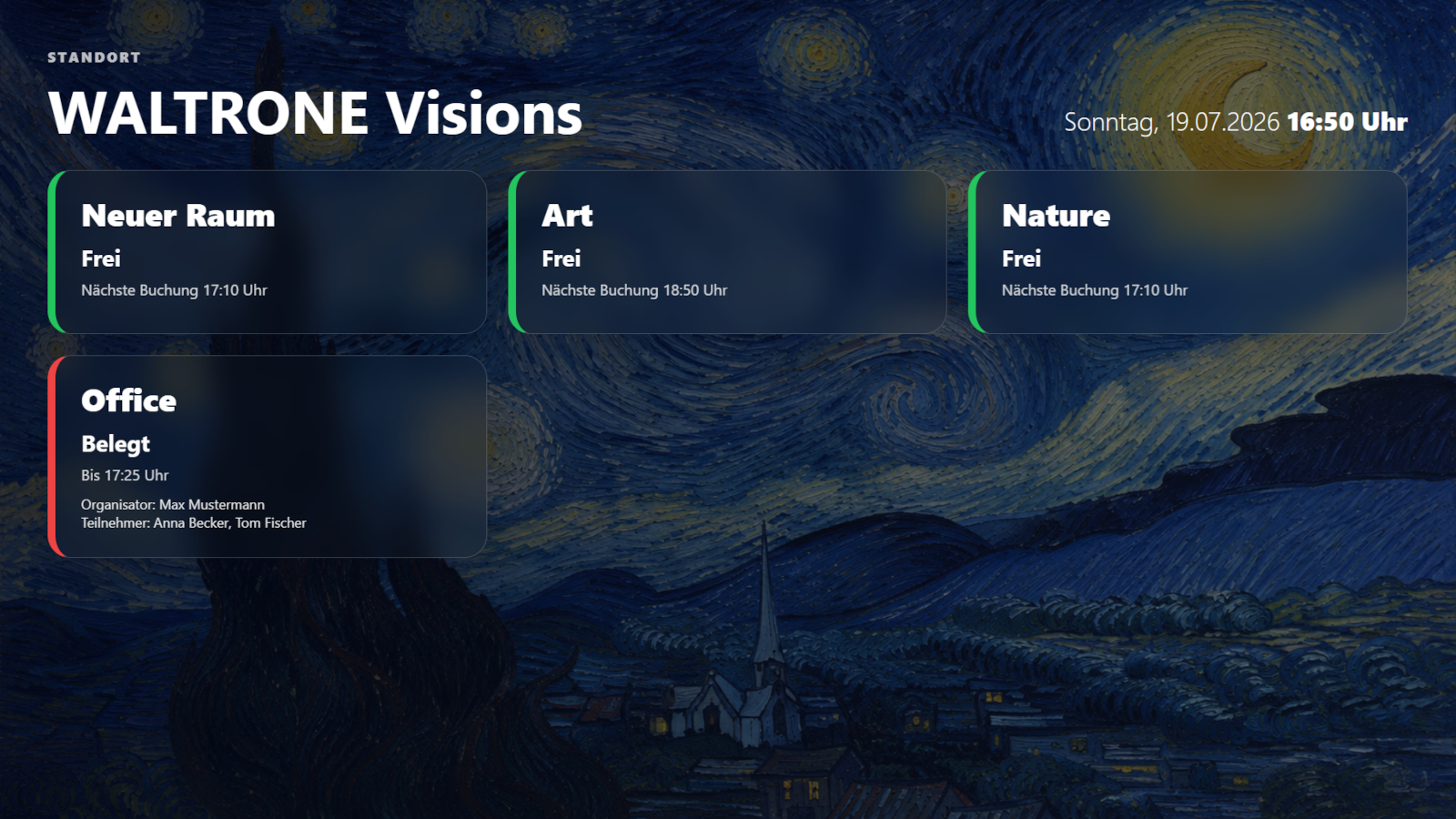
The overview lists every room at the location with its current status, booking end time or next booking time.
First configure the Entra app, Graph permissions and room mailboxes using the existing Microsoft 365 setup guide.
Create a location and add the required rooms. Assign the correct Microsoft 365 resource to each room.
Choose up to three custom background images, the rotation interval, image layout and visibility of people details.
Copy the room URL, open it with the arrow button or use the backend QR code to set up a tablet.
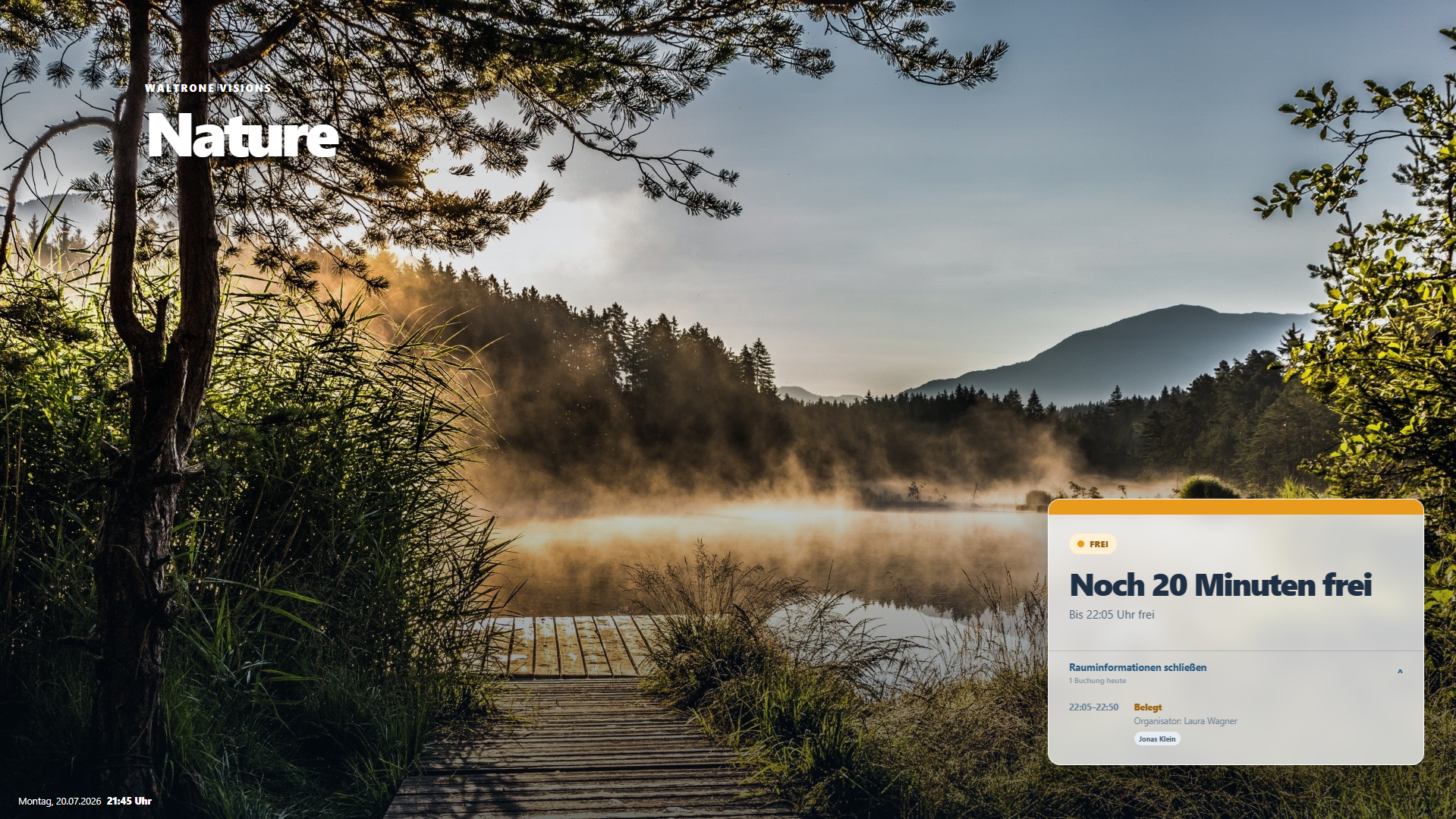
An upcoming booking is highlighted and the display shows the remaining free time and the next start time.
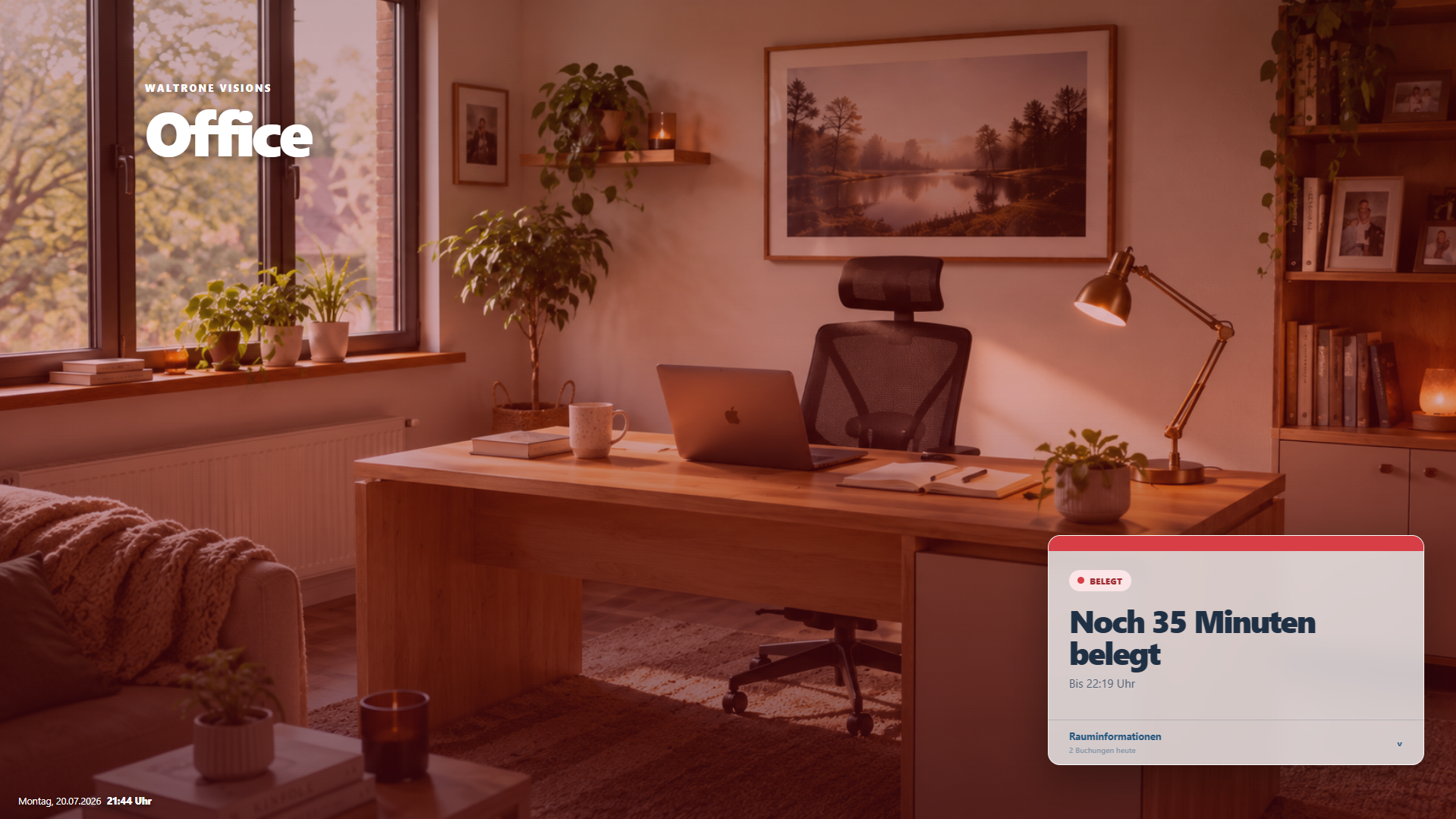
During a booking, the display shows the remaining occupied time and optional room details. A red color filter is also applied over the background image, making it easy to see from a distance that the room is occupied.
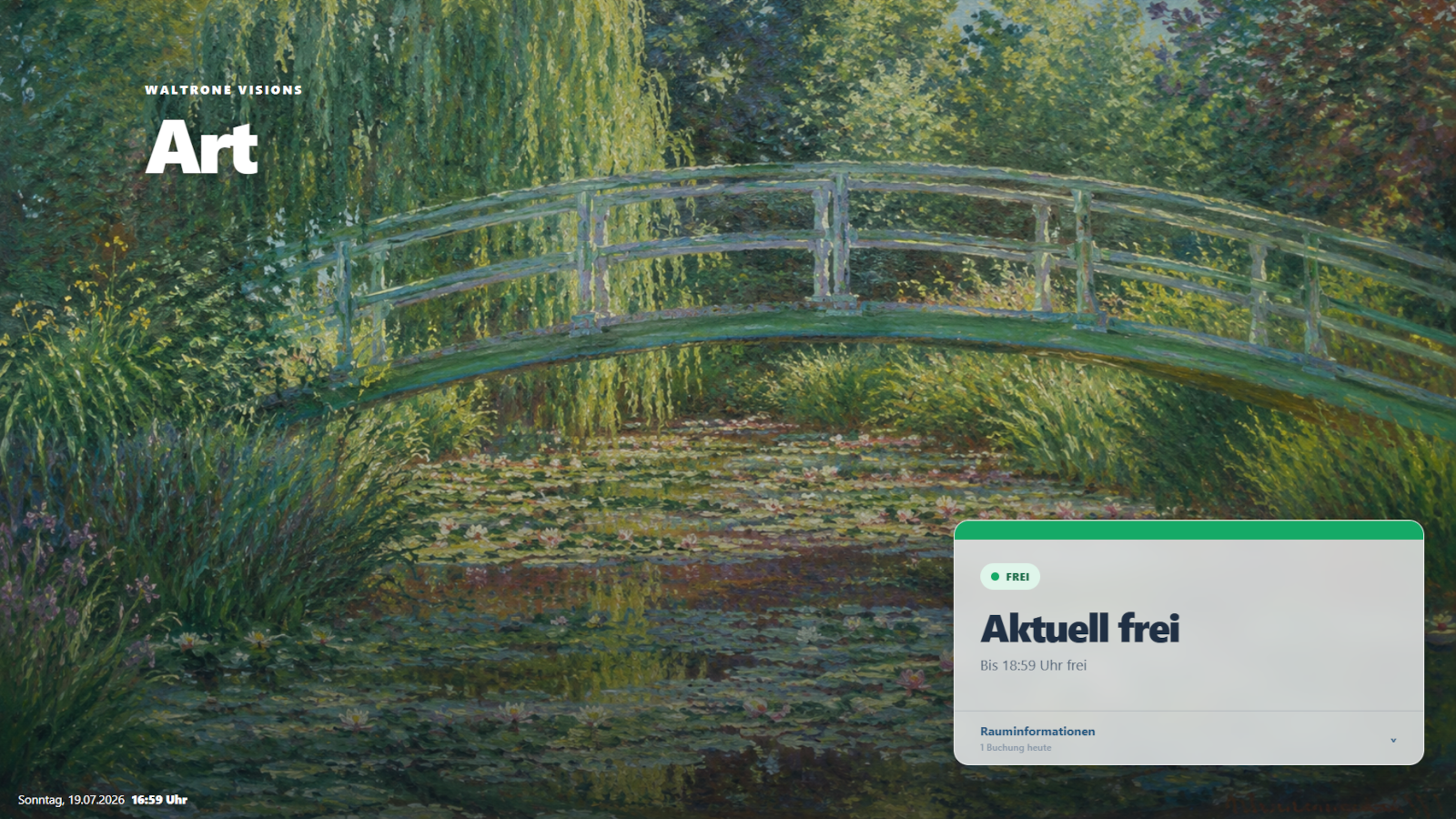
Available rooms are marked in green, including how long they remain free or when the next booking starts.
| Option | Meaning |
|---|---|
| Show attendees | Shows organizer and attendees in the expandable room details. Enable only when appropriate under your privacy policy. |
| Background images | Up to three private room images, stored separately from the media library. |
| Image rotation | Defines how often the selected images rotate. |
| Location opacity | Controls the status box readability in the location overview; new locations use a low default value. |
| Room URL | Direct link to the room’s full-screen view; it can be copied and used as the target device’s start page. |