
AutoPlay from a network folder
Automatically import presentations from SMB shares; check PPTX/PDF prerequisites.
Set up AutoPlay →Step-by-step help for version 9.0.36.0 — with Themes, Menu Boards, a structured Media Library and modern Overlay tools.Choose what you want to do and follow the matching path.
Start with what you want to achieve. This documentation shows the clicks you need and explains only the terms that matter for that task.
Automatically import presentations from SMB shares; check PPTX/PDF prerequisites.
Set up AutoPlay →Windows 11, domain, UNC paths, FFmpeg, LibreOffice and PowerPoint explained.
Open IT guide →Upload and check content in the Media Library.
Media Library help →Use Playlist to place content in slots and arrange the order.
Set up a playlist →Under Player you can check status, volume, playlist assignment and instant controls.
Control a player →In the Network Edition, an Agent connects an additional PC to the main server.
Network & Agent →Design Boards combine images into a finished screen layout.
Create a Design Board →Use Themes for live-editable layouts, prices, images and Menu Boards.
Open Theme help →Use Overlays for additional information and automation.
Open Overlay help →The current main areas are Media Library, Playlist, Player, Connect, Design Boards, Themes, Interact and Overlays. When a guide says “Open Player”, you will find the same Player button in the WALTRONE interface.
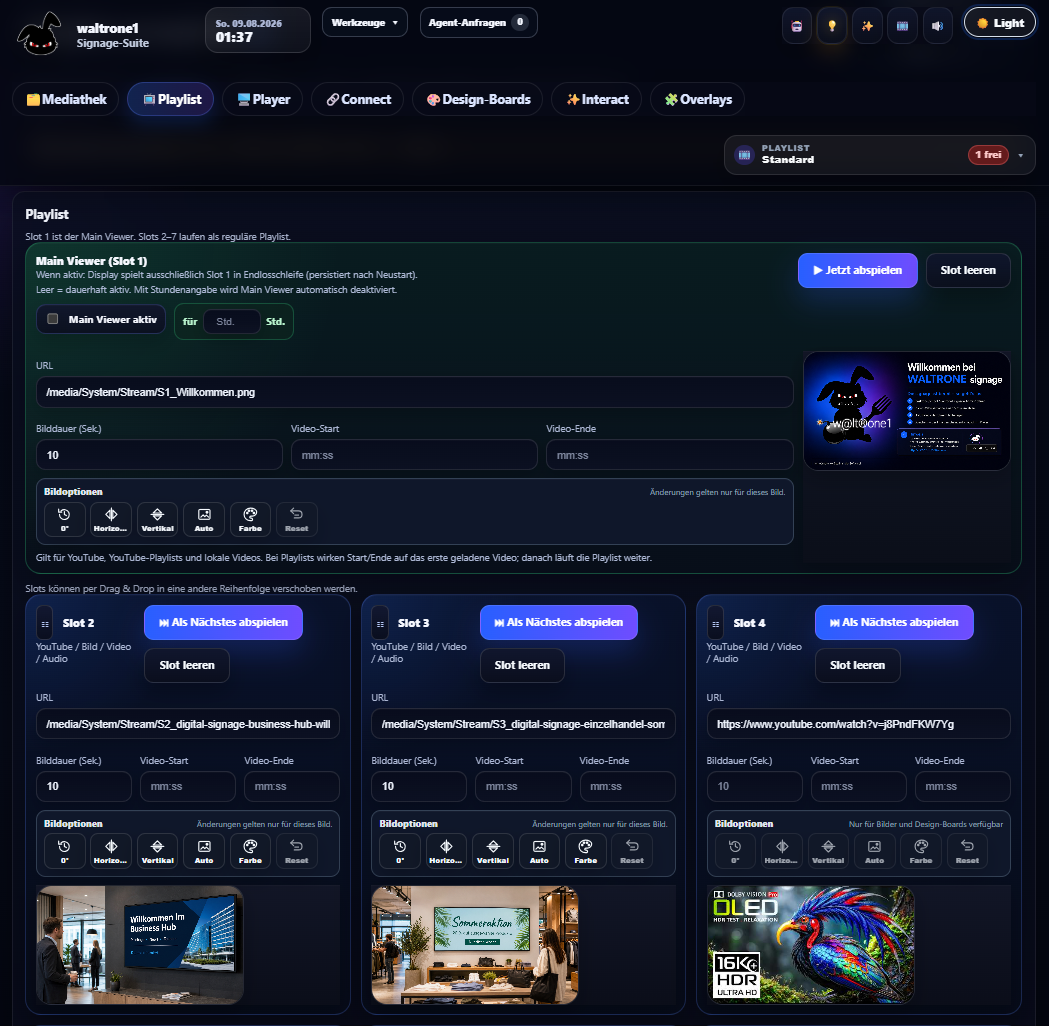
Standalone: everything runs on one Windows PC. This is ideal when one computer directly drives the display.
Network Edition: one main PC manages the content. Additional Windows PCs can be connected as Agents and controlled centrally.
How the Network Edition worksOn first launch, the Setup Wizard guides you through the most important steps. After that, the everyday workflow is usually Media Library → Playlist → Player.
No. For a normal information screen, Media Library, Playlist and Player are usually enough. You can add Overlays, Design Boards, Themes, Interact and automation later.
A Player is the output target you control in WALTRONE. An Agent is the software on an additional Windows PC that provides a Player in the Network Edition.
Images you already uploaded remain available. You can open the wizard again later under System.
Yes. Under System, open Backup & Restore. The backup contains important WALTRONE settings and used image assets, while large audio/video files and machine-bound security data are intentionally excluded.
Use the HTTPS Setup Wizard. It supports IP and DNS, verifies the configuration before switching and provides the WALTRONE CA for Windows and mobile devices. Open HTTPS guide →