
Folders & files
Analyze drives, folders and UNC paths. Color-coded folder tree, visual shares, top 50 lists and file size filtering.
Analyze drives, folders and network paths. Discover large files, detect duplicates and understand your storage usage with 19 categories and detailed reports.
Windows · Free · No in-app registration · DE / EN
Practical tools for everyday use and IT support.
Analyze drives, folders and UNC paths. Color-coded folder tree, visual shares, top 50 lists and file size filtering.
Rule-based classification of applications, games, system files, development files and local AI models.
Quick search with wildcards, file extension overview, classification hints and customizable table columns.
Detect identical file content with SHA-256. Move selected duplicates to the Recycle Bin under your control.
Explore storage usage with sunburst, treemap and bar charts.
HTML reports in German and English with collapsible scan notices, plus CSV and JSON export.
Switch between DE and EN instantly, without restarting or rescanning.
Local analysis without cloud services. Free to use, with no in-app registration or subscription.
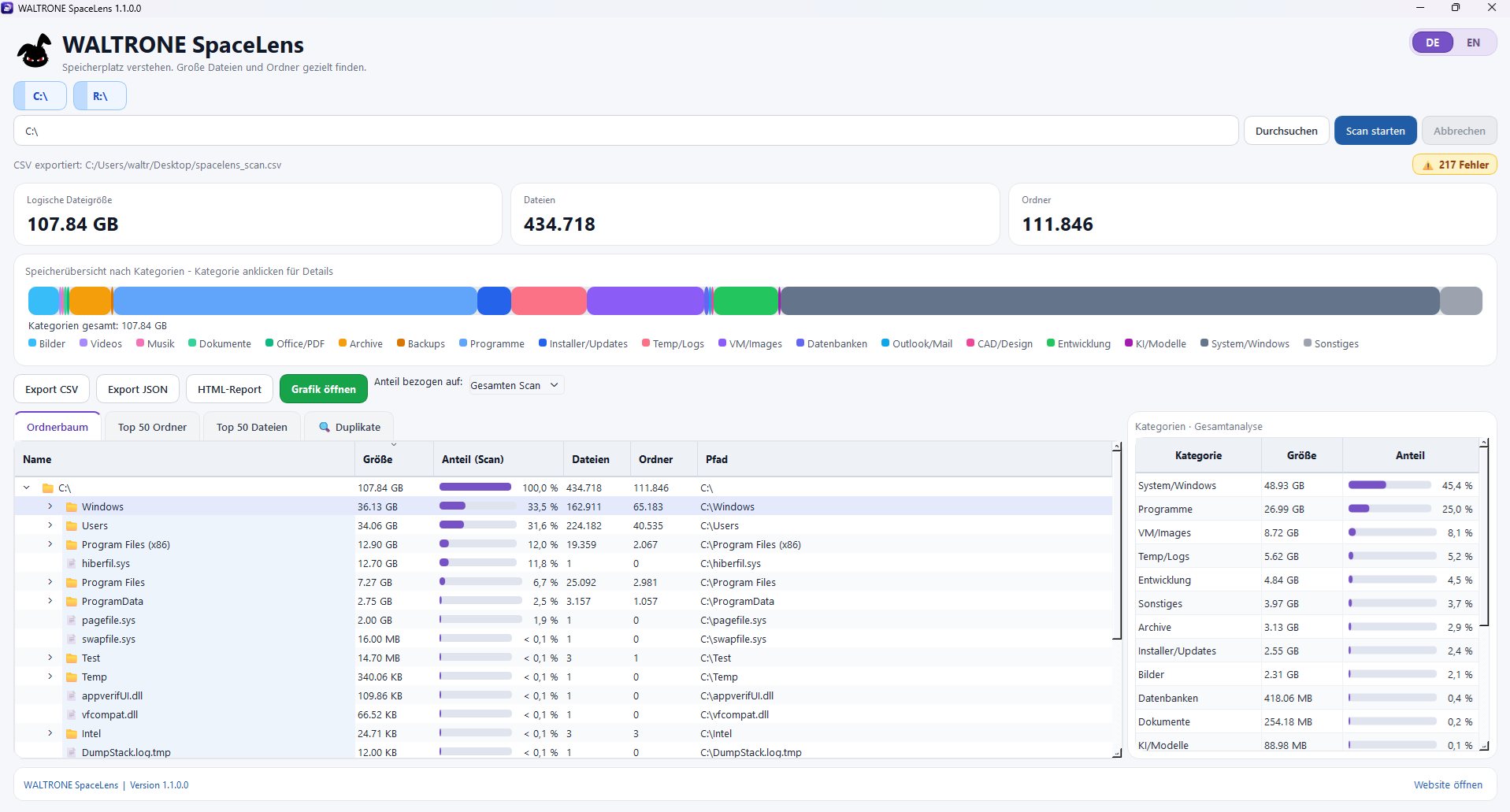
Original screenshots of version 1.1.0.0, showing the German interface. Click to enlarge.
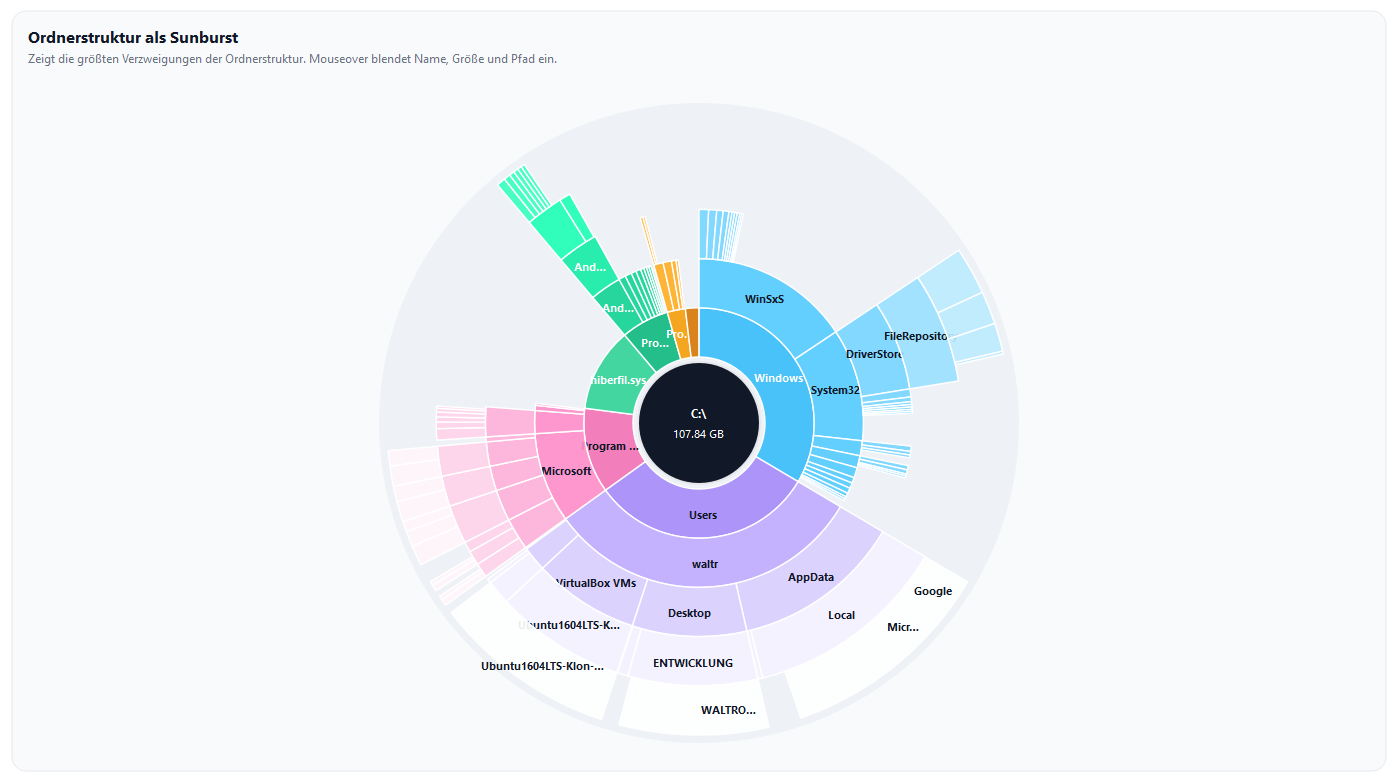
Interactive sunburst visualization of the folder structure.
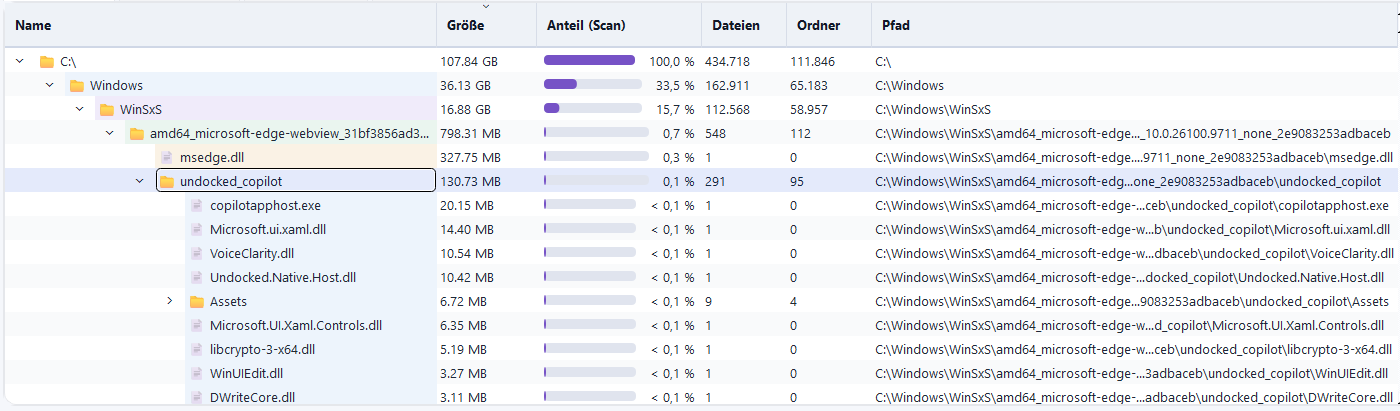
Color-coded folder hierarchy with visual storage shares.
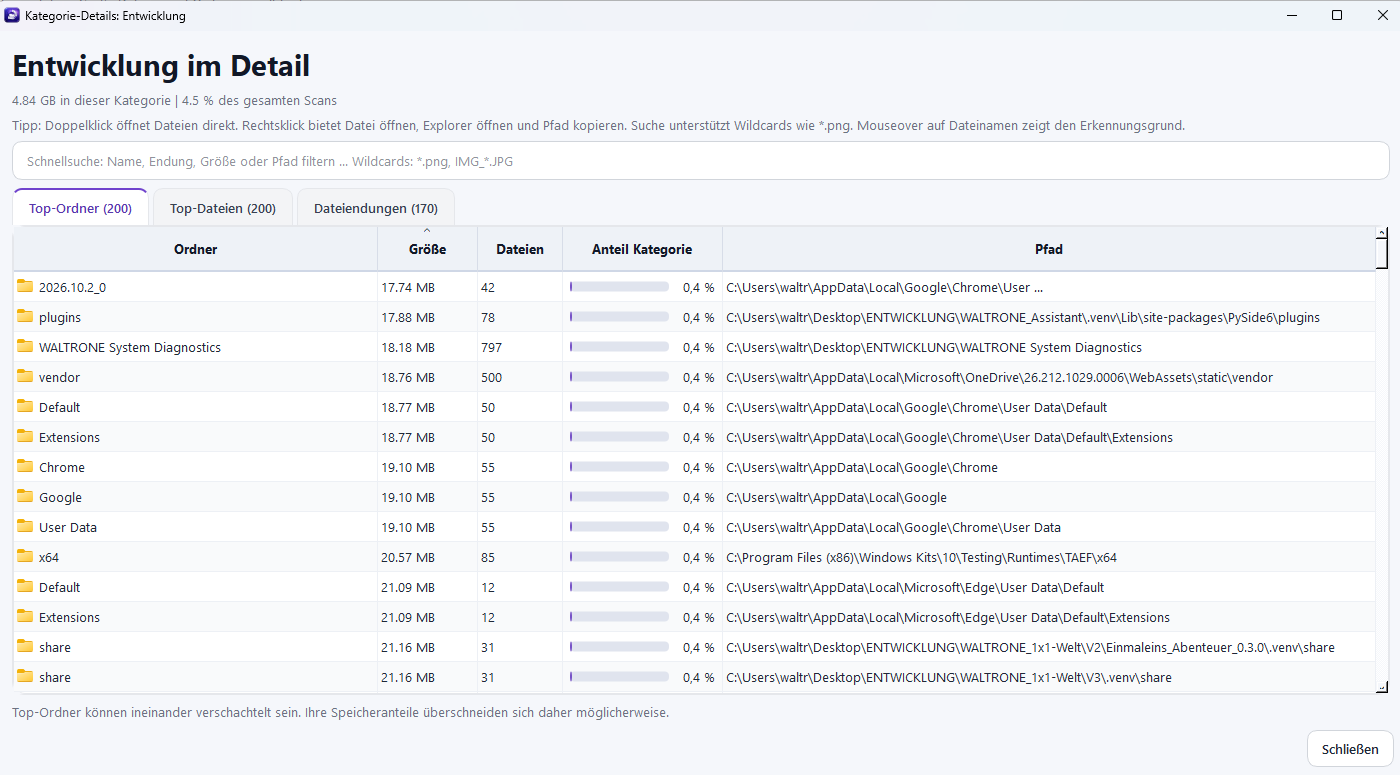
Detailed category analysis with quick search and file extension overview.
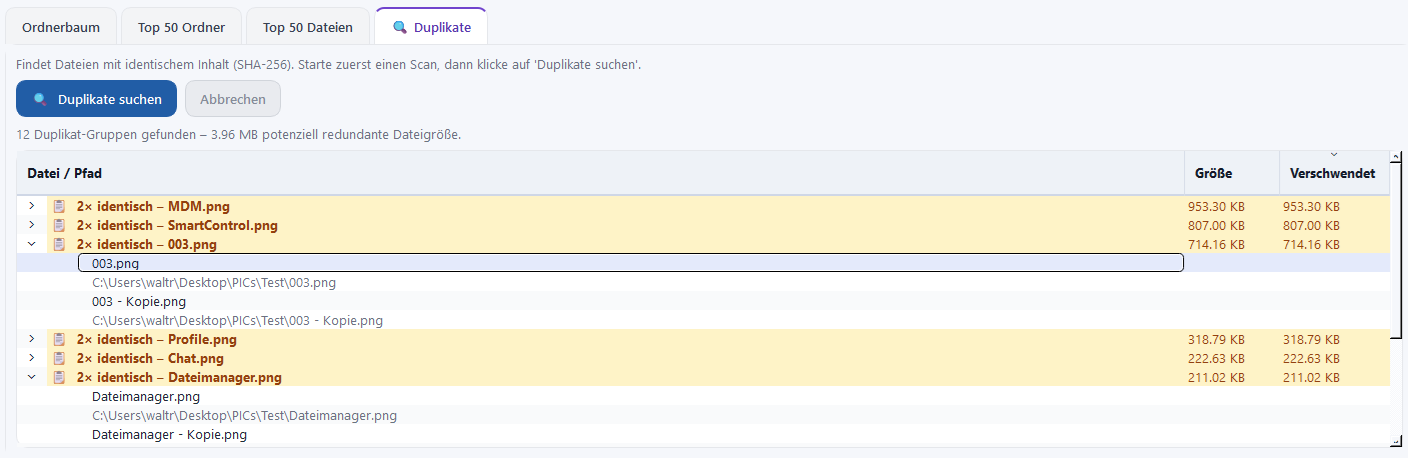
Detect files with identical content using SHA-256.
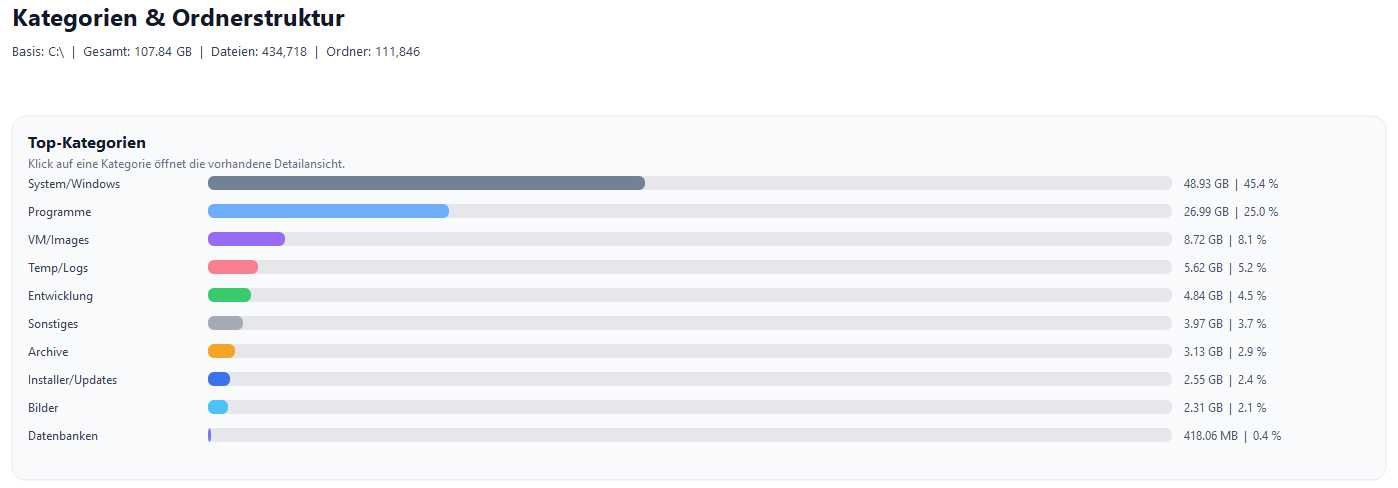
Visualize storage distribution by file category.
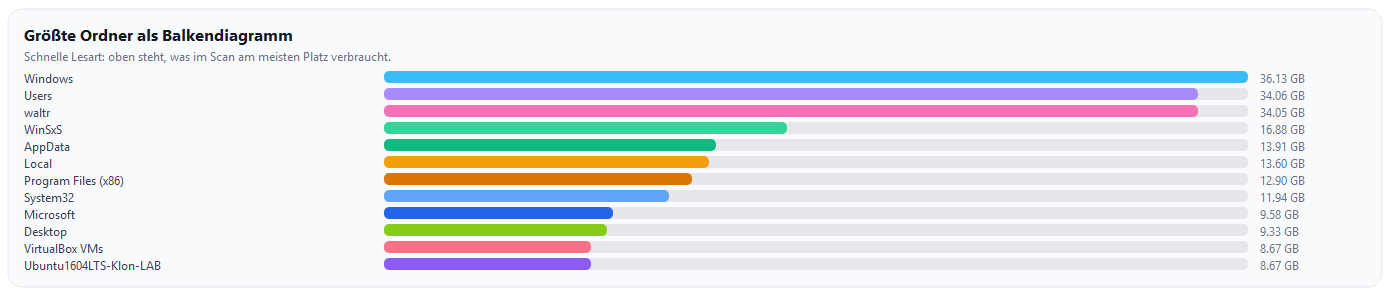
Identify the largest folders and storage consumers at a glance.
The version 1.1.0.0 update is being prepared for Microsoft Store release.
Reported file sizes are logical sizes and can differ from actual allocated disk space. Reports may contain confidential paths. Review duplicates before removal: identical content does not make a file unnecessary. Privacy ↗