
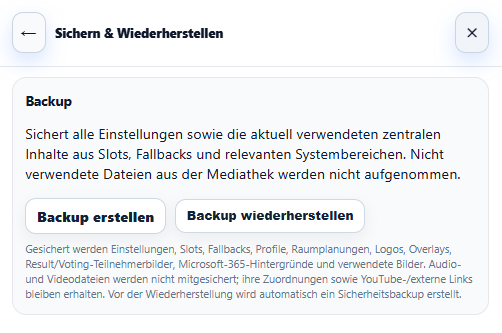
Create or restore a backup
Click Create backup before major changes, a migration or a reinstall. Before restoring, WALTRONE automatically creates a safety backup of the current state.
Create backups, reopen the Setup Wizard and use important system functions without guesswork.
Under Settings/System you find security, maintenance and recovery functions. In normal day-to-day use, you rarely need to change anything here.
Most important: create backups, reopen the Setup Wizard when needed, and check system information for support.
For secure local access, use the guided HTTPS Setup Wizard. Choose IP for simple networks without DNS or DNS for corporate networks. WALTRONE prepares the certificate, performs a preflight test, configures the managed firewall/trust steps and continues automatically after restart.
The dedicated guide also explains CA installation and trust for iPhone/iPad and Android.
Click Create backup before major changes, a migration or a reinstall. Before restoring, WALTRONE automatically creates a safety backup of the current state.
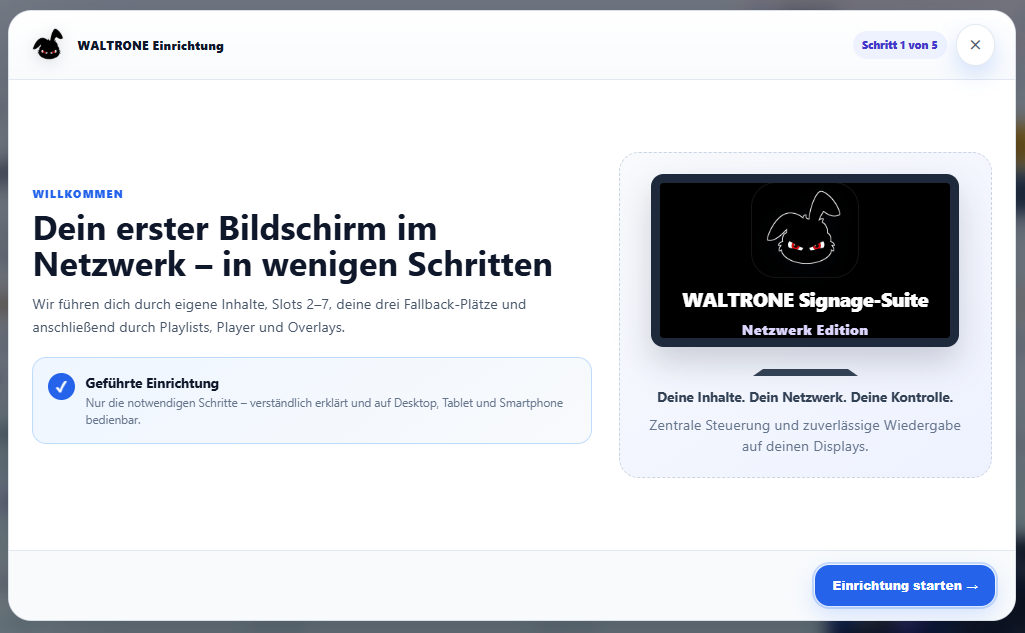
You can restart the wizard later under System → Setup Wizard. When started manually, existing personal slots and fallbacks are not overwritten.
| Included | Intentionally not embedded |
|---|---|
| Settings, slots, fallbacks, playlist/player configuration, Overlays, Interact data, Design Boards | License/trial state and installation identity |
| Used local image files, logos, Smart Break images, voting participant images, Microsoft 365 backgrounds | Large local audio/video files and unused Media Library files |
| External links, YouTube links and audio/video assignments as settings | SSL certificates/private keys and Windows Autologin credentials |
A backup is therefore ideal for the WALTRONE configuration. If you use large local video or audio files, back those up separately as well.
Change the password for the administration area here. Use at least the minimum length required by WALTRONE and choose a password that is not easy to guess.
Use the guided HTTPS Setup Wizard for normal installations. Manual certificate controls remain available in Advanced settings.
HTTPS guide →The Watchdog can restart the player automatically if it closes unexpectedly. This is useful on signage PCs that run continuously.
A dedicated Windows PC can sign in automatically after a restart. Use this only on devices where automatic login is explicitly intended.